A complete offline wedding planner — budget tracker, guest list, seating chart, vendor contacts, to-do list, and more. One file. No subscription. No data leaves your computer.
100% free. No account required. Works offline.
Please enter a valid email address.
No data leaves your browser
No subscription, ever
One file, keep forever
Auto-saves as you type
Everything you need
9 tools in one file
Every tab you need to plan your wedding, built and linked — no app juggling.
Budget Dashboard
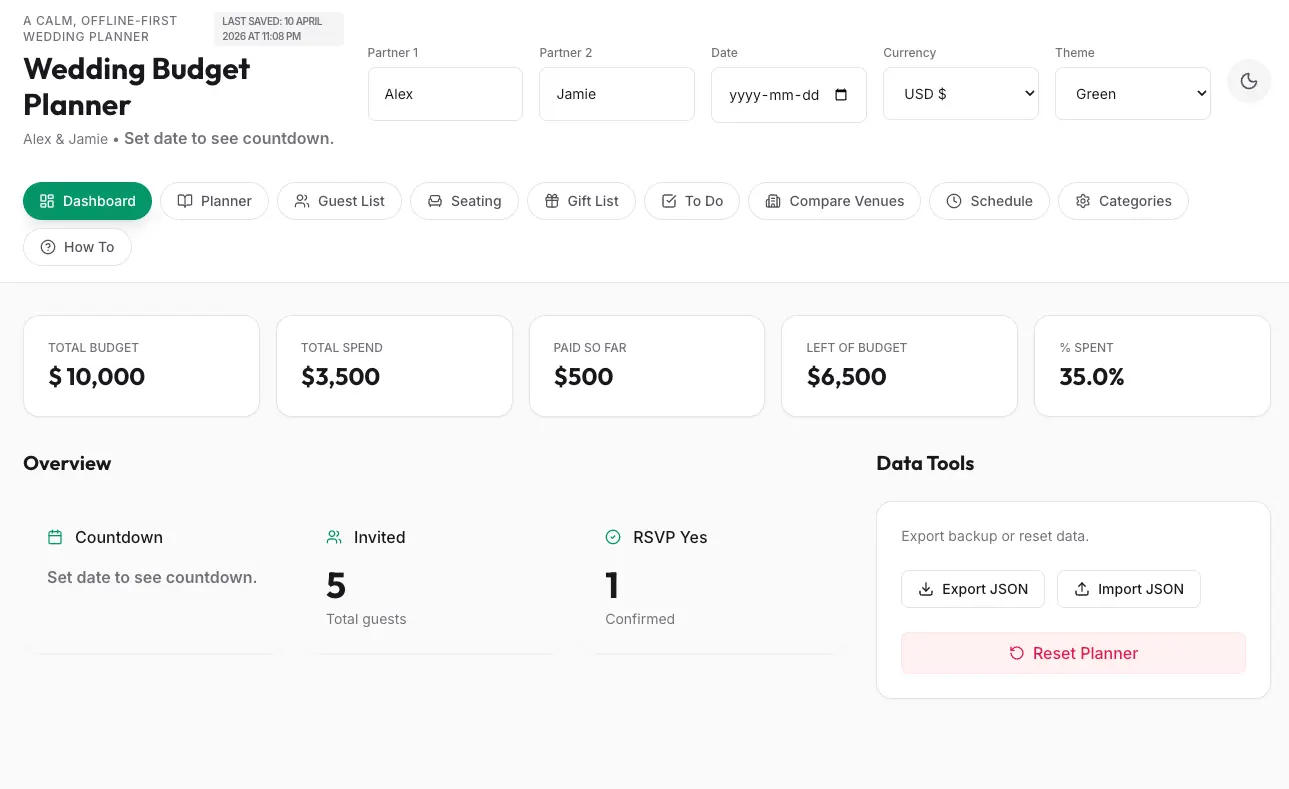
Total budget, spend, paid so far, and % used — all live. Set your total budget and watch the numbers track automatically.
Vendor Planner
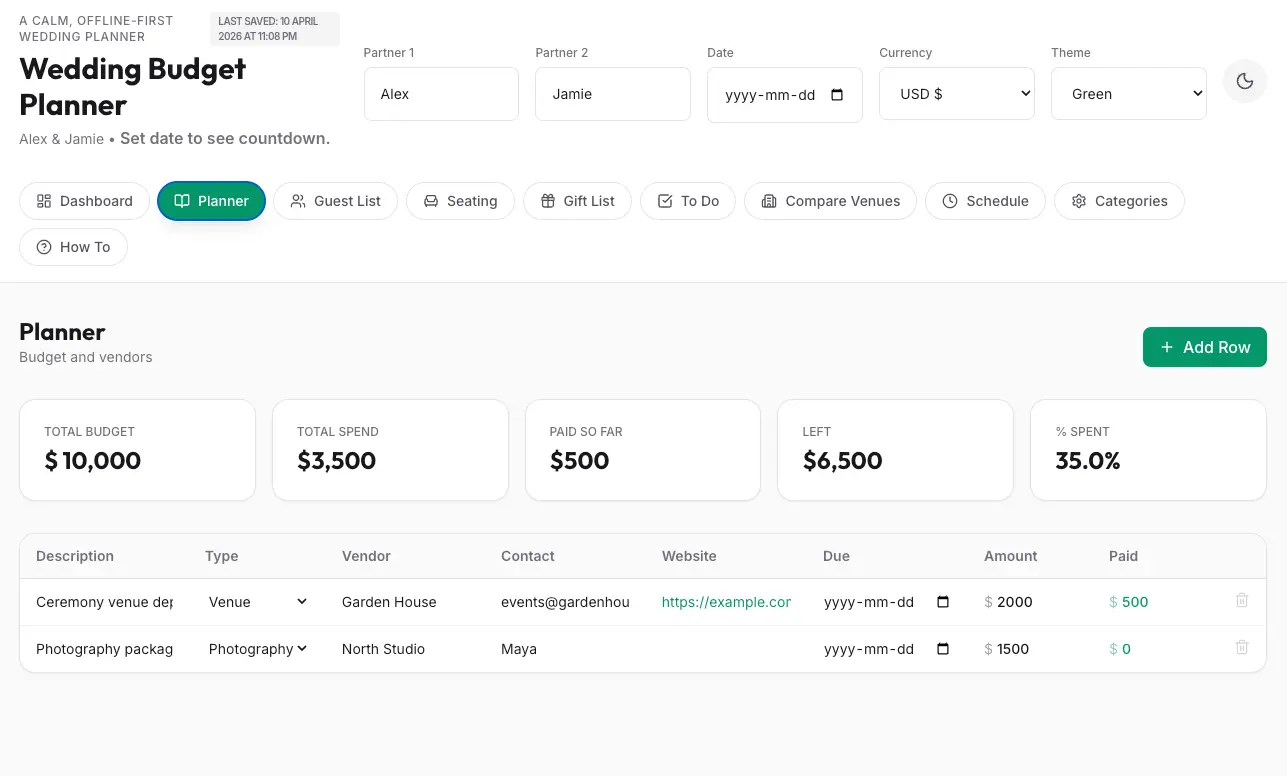
Venue, photographer, florist, catering — every vendor with contact, website, amount, and payment status in one table.
Guest List + RSVP
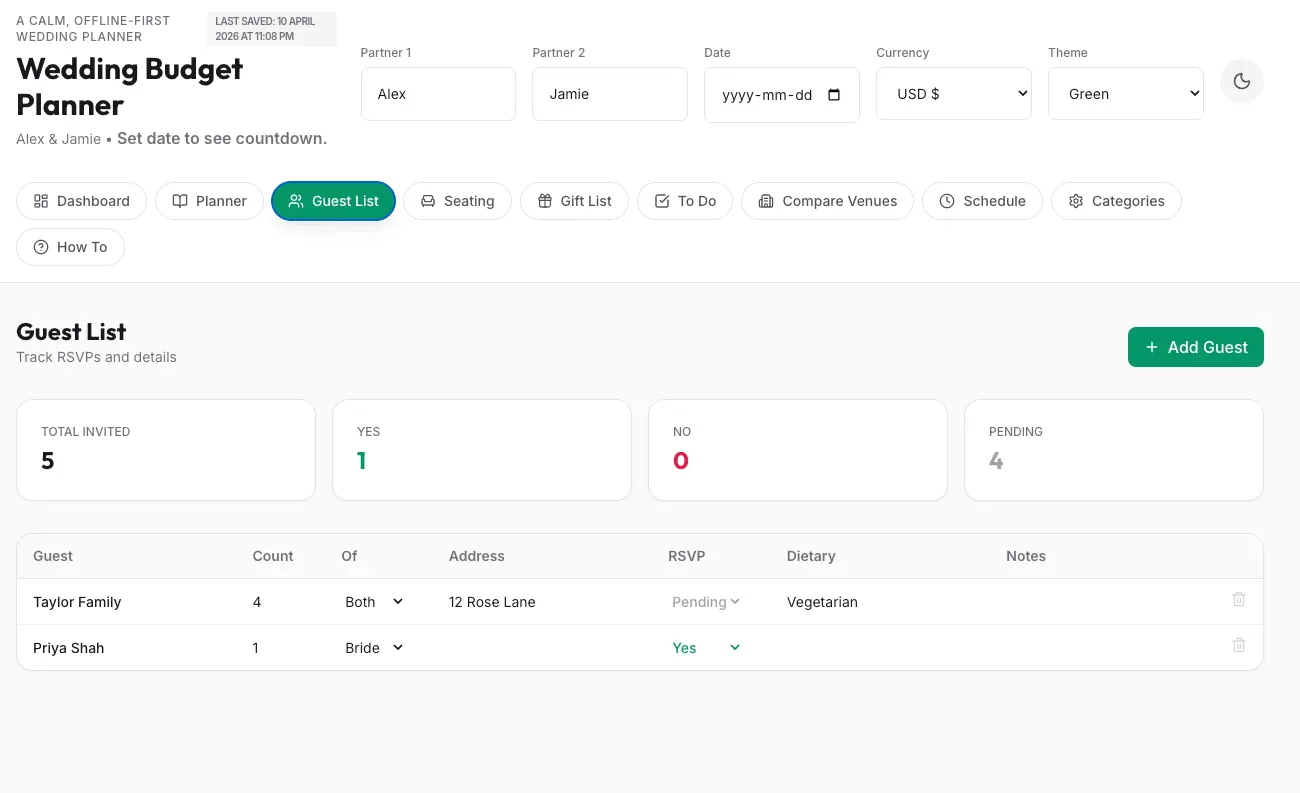
Track every guest: count, side of family, address, RSVP status (Yes/No/Pending), dietary needs, and notes.
Seating Chart
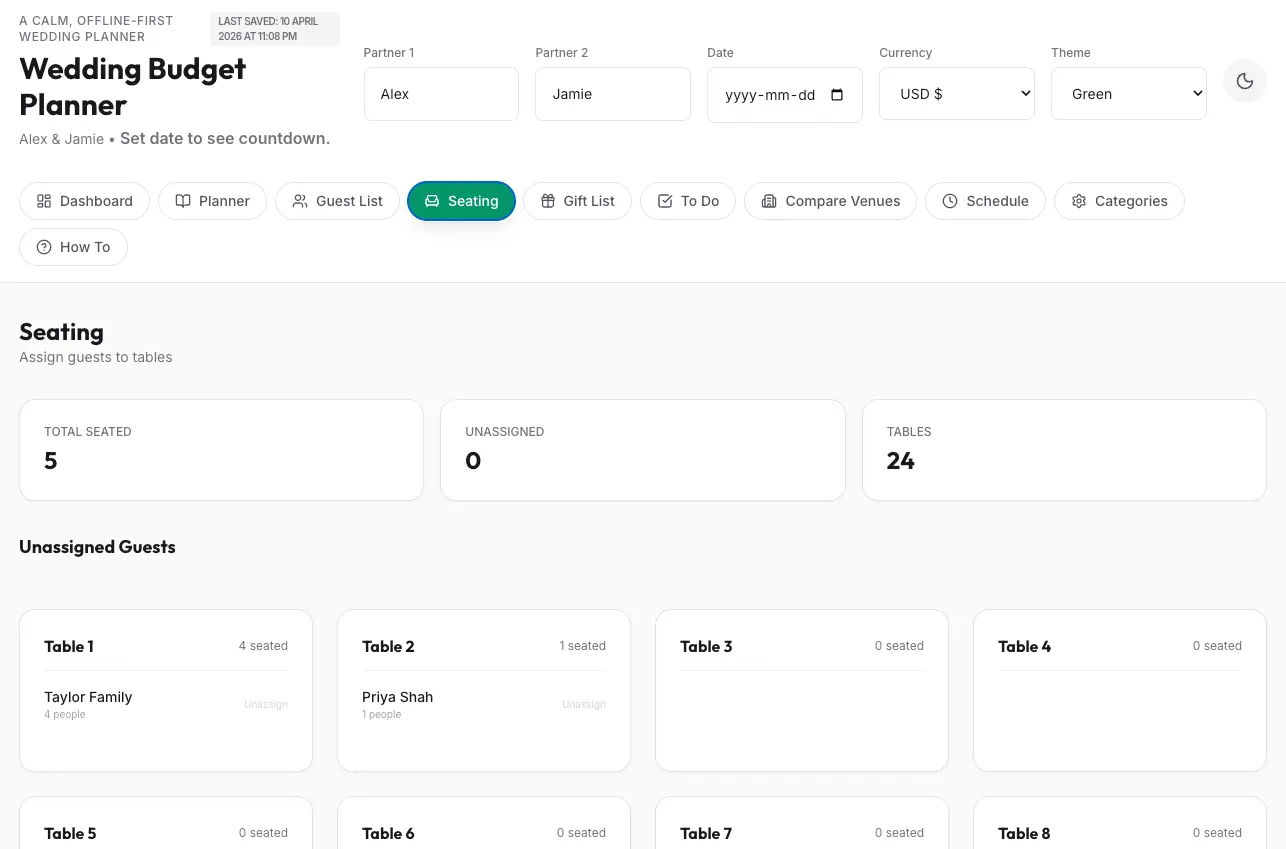
Assign guests to tables. Unassigned guests shown at the top so nobody slips through. Up to 24 tables pre-built.
To-Do List
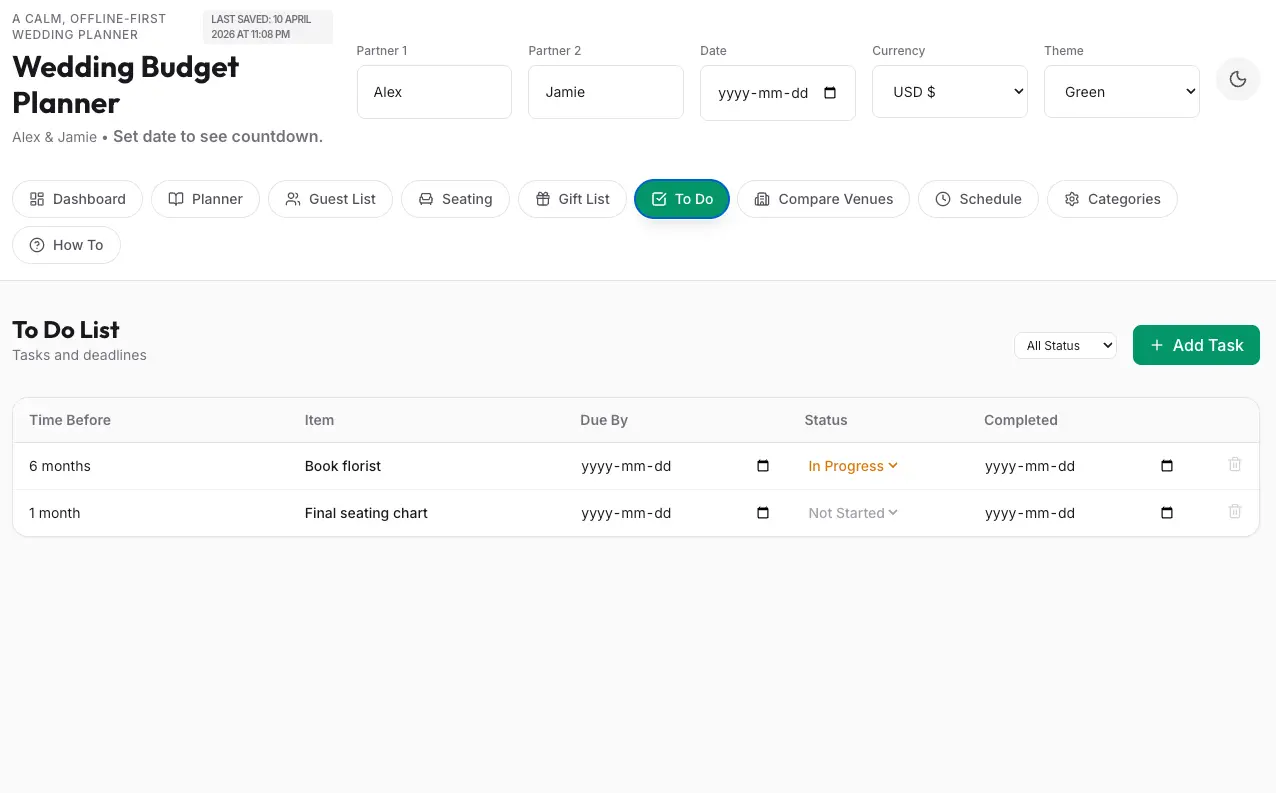
Tasks with due dates, lead time (6 months out, 1 month out), status tracking, and a completion date column.
Gift Registry Tracker
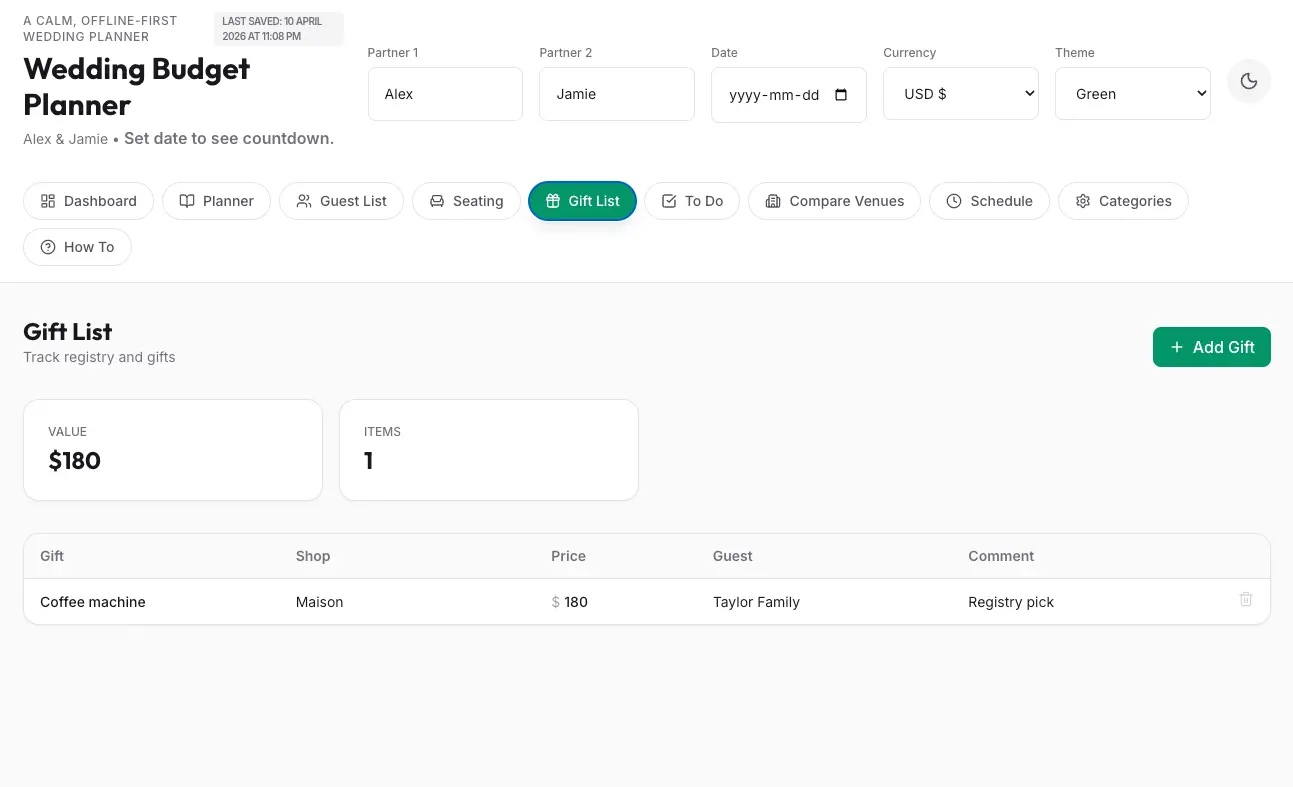
Log every gift: item, shop, price, which guest gave it, and a comment. Total gift value calculated automatically.
Venue Comparison
Compare venues side by side: capacity, price, location, availability, and notes. Pick without second-guessing.
Day Schedule
Build a minute-by-minute timeline for the day. Getting ready through send-off, every slot accounted for.
Budget Categories
See spending by category — venue, catering, florals, photography — to keep every segment on budget.
See it in action
Every tab, built and ready
Click through the tabs to see what you're getting.
Budget snapshot, countdown, guest totals, and data export tools.
Every vendor, amount, paid so far, and contact info in one table.
RSVP status, dietary needs, count per group, address, and notes.
Assign guests to tables. Unassigned guests flagged at the top.
Log every gift with price, shop, and which guest gave it.
Tasks with lead time, due dates, and status tracking.
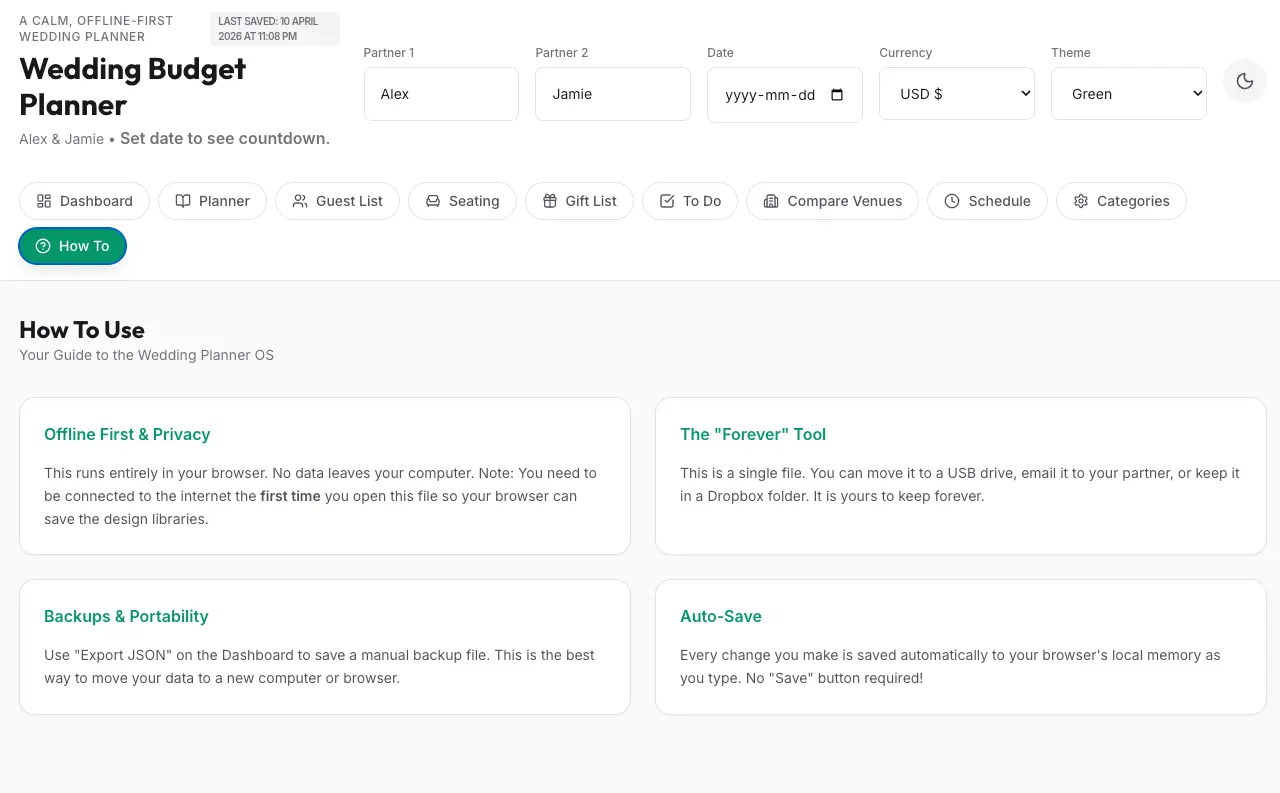
Offline-first, auto-save, no setup required, portable forever.
Simple by design
Up and running in 60 seconds
1
Enter your email
Drop your email above — the file opens instantly. No account, no card, no friction.
2
Open in your browser
The planner opens in Chrome, Safari, or Firefox — no install required. Save it with File → Save As.
3
Start planning
Enter your names, budget, and wedding date. Everything auto-saves as you type. Share with your partner.
Free. Offline. No subscription. One download and you're done.
No spam. Just the file.
Please enter a valid email address.
Almost there
Enter your email to get the template
We'll send you the link. No spam — just the template.
Free. No spam. Unsubscribe any time.
Before you go
Grab the free ADHD Planner
Brain dumps, energy-based scheduling, wins journal, and the Just One Tiny Step field — built for how your brain actually works. 100% free on any Notion plan.